A dynamic karaoke microphone with an XLR connection is still the most reliable way to sing at home, at a bar night or at a small event. There is no pairing, no battery, and very little that can go wrong once it is plugged in. This guide explains what to look for in the mic and how to build a clean dynamic karaoke microphone XLR setup that does not squeal with feedback.
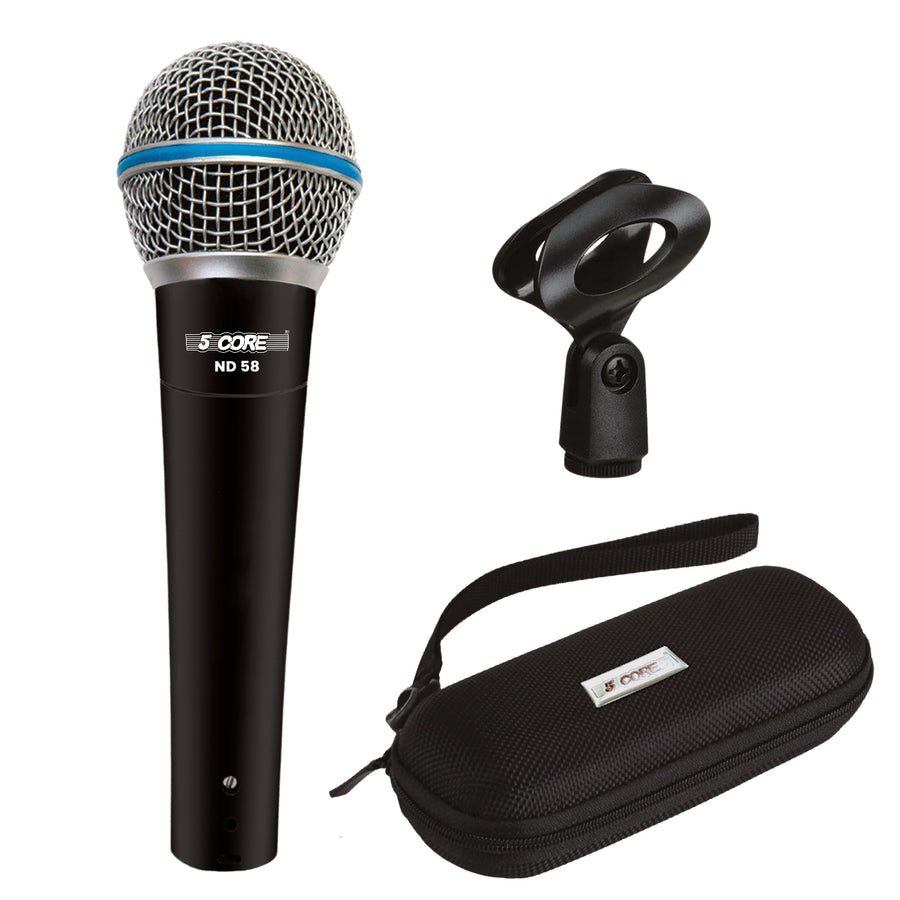
Dynamic microphones are rugged and need no phantom power. They pick up mostly what is right in front of them, which helps reject room noise and speaker spill, a real advantage for karaoke where the speakers are often close to the singer. XLR is the standard balanced mic connection: three pins, locking, and much better at rejecting interference over longer cables than unbalanced plugs.
If your karaoke machine only has a 1/4" jack, use a proper XLR-to-1/4" cable or adapter. Our XLR vs TRS vs TS cable guide explains which plug carries what.
Set the speaker or master volume moderately first. Then, with the mixer channel fader at its normal position, sing at full performance volume and raise the channel gain (trim) until the level meter peaks well below the red. Only then adjust the channel fader for the mix. Too much gain with a quiet singer is the fastest route to feedback and noise.
A stand with the right thread size keeps the mic steady between songs; see mic stand thread sizes. A foam windscreen reduces pops and keeps the grille cleaner when many people share one mic. Spare XLR connectors are useful if you make or repair your own cables.
Use two matching mics on separate mixer channels so you can set each singer's level independently. Avoid splitting one input between two mics.
Evoxen USA carries the 5 Core ND 58 dynamic karaoke microphone XLR and the 5 Core professional dynamic karaoke mic, plus the 2-pack dynamic vocal handheld mics for duets. For cables and parts: XLR connector pair (male/female), XLR to 1/4 connectors, mic clip holders and mic foam covers. Using it outdoors through a horn? See PA horn speaker for outdoor use.
Buy the length you need, plus a little slack. A 6 m (about 20 ft) cable covers most living rooms and small stages. Balanced XLR can run much further without noise problems, but long coiled cables become a trip hazard. Tape or route cables away from walkways, and coil them over-under after use so they last.
Karaoke mics get handled by many people. Unscrew the grille occasionally and clean it with mild soap and water, letting it dry fully before reattaching. Never get water into the capsule itself. Foam covers are cheap to swap between users. Store mics in a padded case, not loose in a bin, and check the XLR pins for bends if a mic starts cutting out.
If you hear crackling when the cable moves, the fault is usually the cable or a loose connector rather than the mic. Swap the cable first. If the problem follows the mic, check the switch and the connector inside the handle.
In short: a cardioid dynamic mic, a good XLR cable, careful gain and speakers in front of the singer will solve most karaoke sound problems before you spend money on anything else.
No. Phantom power will not normally harm a dynamic mic on a balanced XLR line, but it is not needed.
Check the channel gain, make sure the mic switch is on, and that you are using a mic input rather than a line input.
You need an audio interface or mixer with a USB output; the mic cannot connect directly.